Building A 'Server'
May 2024
Why Do You Need A Server
I’ve somewhat always had a “server” of sorts for as long as I’ve had a computer.
Be it for Minecraft, web hosting or long-running computations, I’ve always found one useful.
In this case, the server will be used for HPC and file-storage workloads.
Hardware
Sourcing Parts
| Type | Item | Price |
|---|---|---|
| CPU | AMD Ryzen 9 7950X 4.5 GHz 16-Core Processor | Purchased For £350.00 |
| Motherboard | MSI PRO B650-P WIFI ATX AM5 Motherboard | £150.00 |
| Memory | Crucial CT2K32G48C40U5 64 GB (2 x 32 GB) DDR5-4800 CL40 Memory | £110.00 |
| Storage | Western Digital Black SN770 1 TB M.2-2280 PCIe 4.0 X4 NVME Solid State Drive | Purchased For £0.00 |
| Storage | Seagate IronWolf NAS 4 TB 3.5" 5400 RPM Internal Hard Drive | £100.79 @ Amazon UK |
| Video Card | NVIDIA Founders Edition GeForce RTX 3090 24 GB Video Card | £580.00 |
| Case | KOLINK Unity Lateral Performance ATX Mid Tower Case | £39.95 @ Overclockers.co.uk |
| Power Supply | Asus ROG THOR P2 Gaming 1200 W 80+ Platinum Certified Fully Modular ATX Power Supply | Purchased For £130.00 |
| Prices include shipping, taxes, rebates, and discounts | ||
| Total | £1460.74 |
I opted for the high-risk but low-cost option of sourcing almost everything used, starting with the GPU.
At the time, this was the cheapest 3090 I could get, it’s also the reason the server is watercooled (this went so well…)
The CPU was sourced from CEX as it was the cheapest place to get it whilst remaining reputable.
The case was bought new from Amazon.
Everything else was sourced from eBay (yes, even the PSU).
POST Troubles
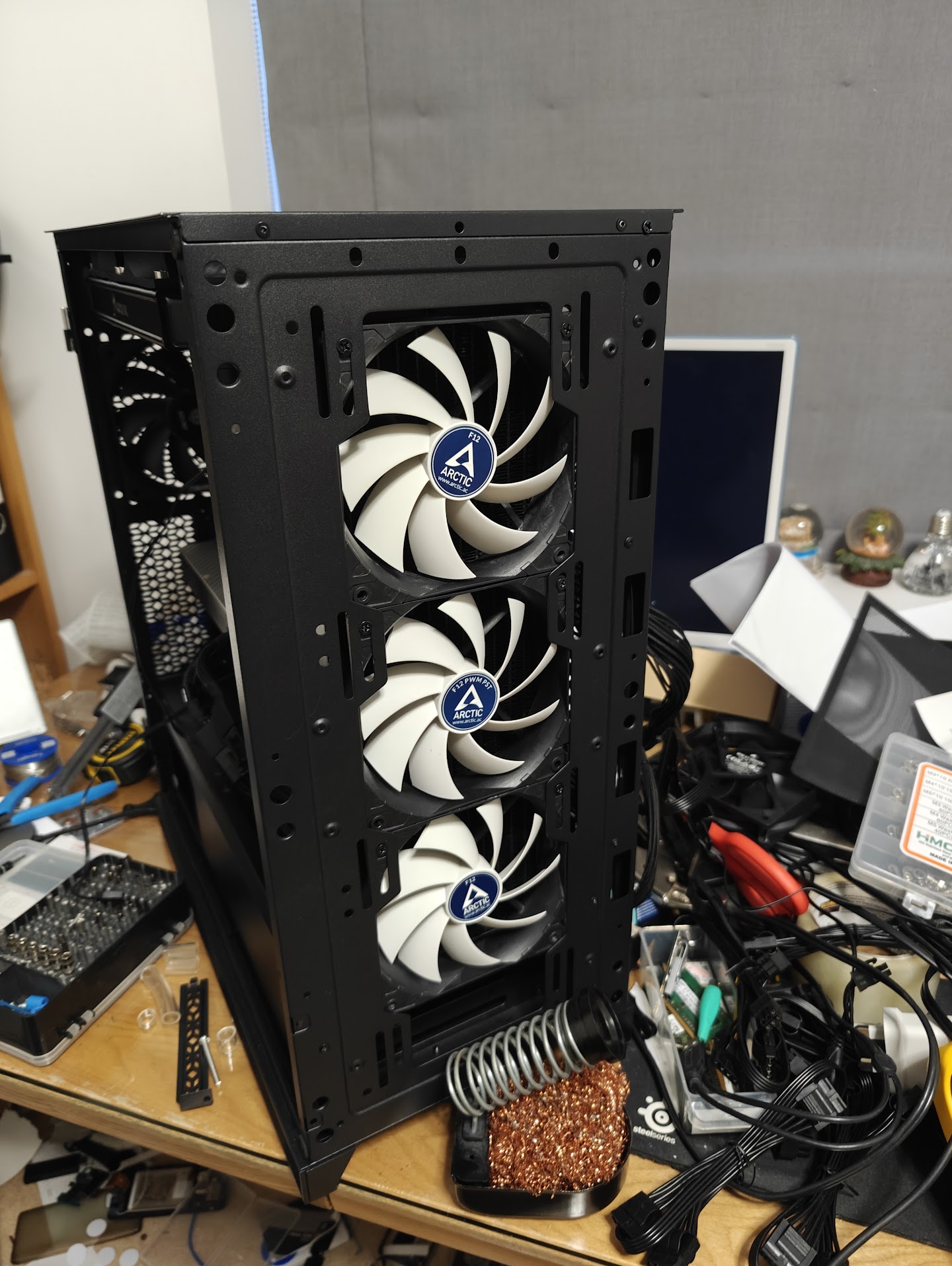
I put the server together (mostly) and fired it up, to my dissapointment, it seemed to not POST.
I had bought the motherboard as a broken one assuming that bent CPU socket pins were the only issue, unfortunately it seems that assumption was false, I ended up purchasing a new motherboard which solved this issue.
It lives?
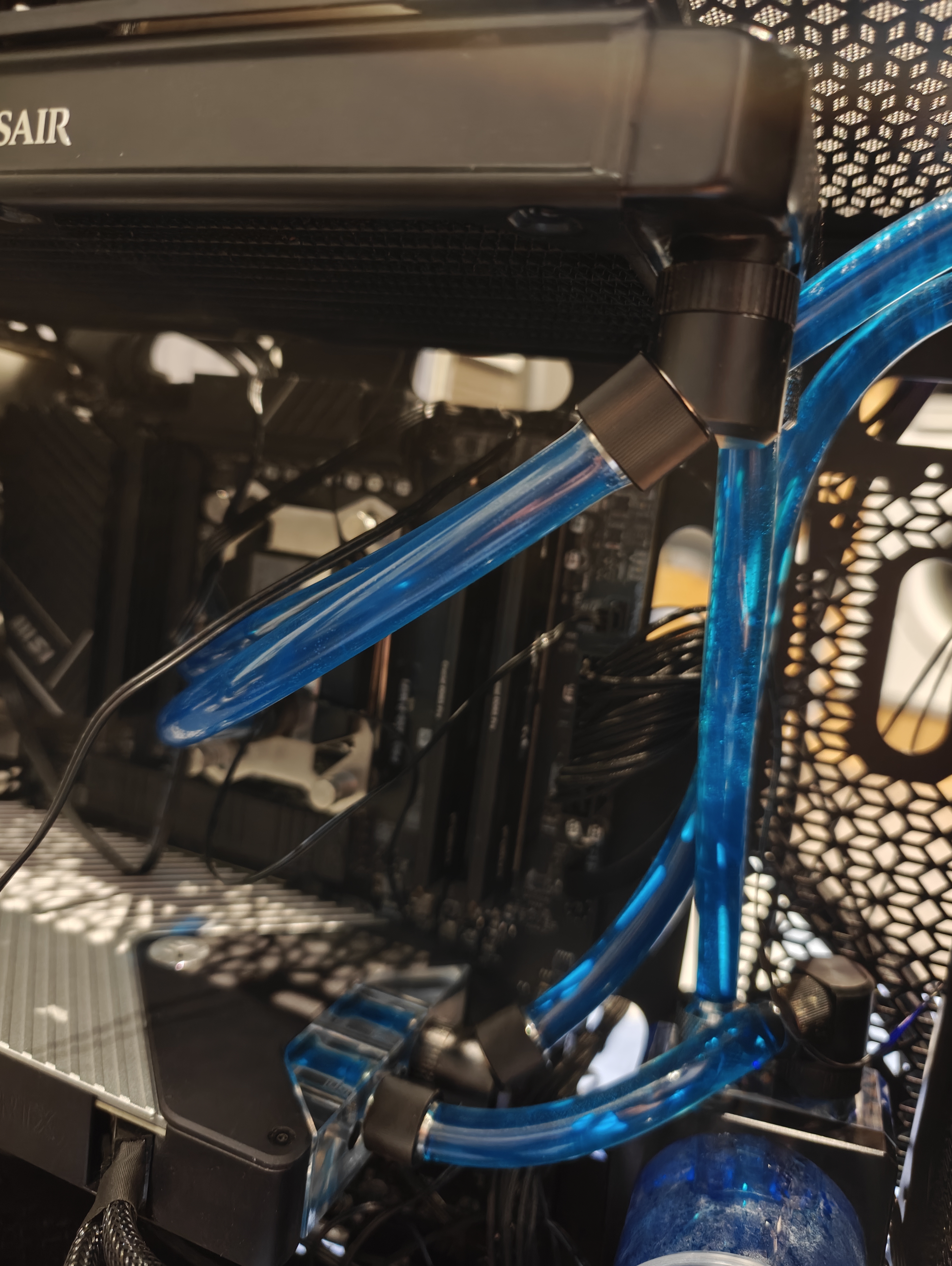
After filling it with coolant, confirming it POSTs and doesn’t leak I attempted to attach a SATA SSD to the motherboard.
The PC shut-off immediately.
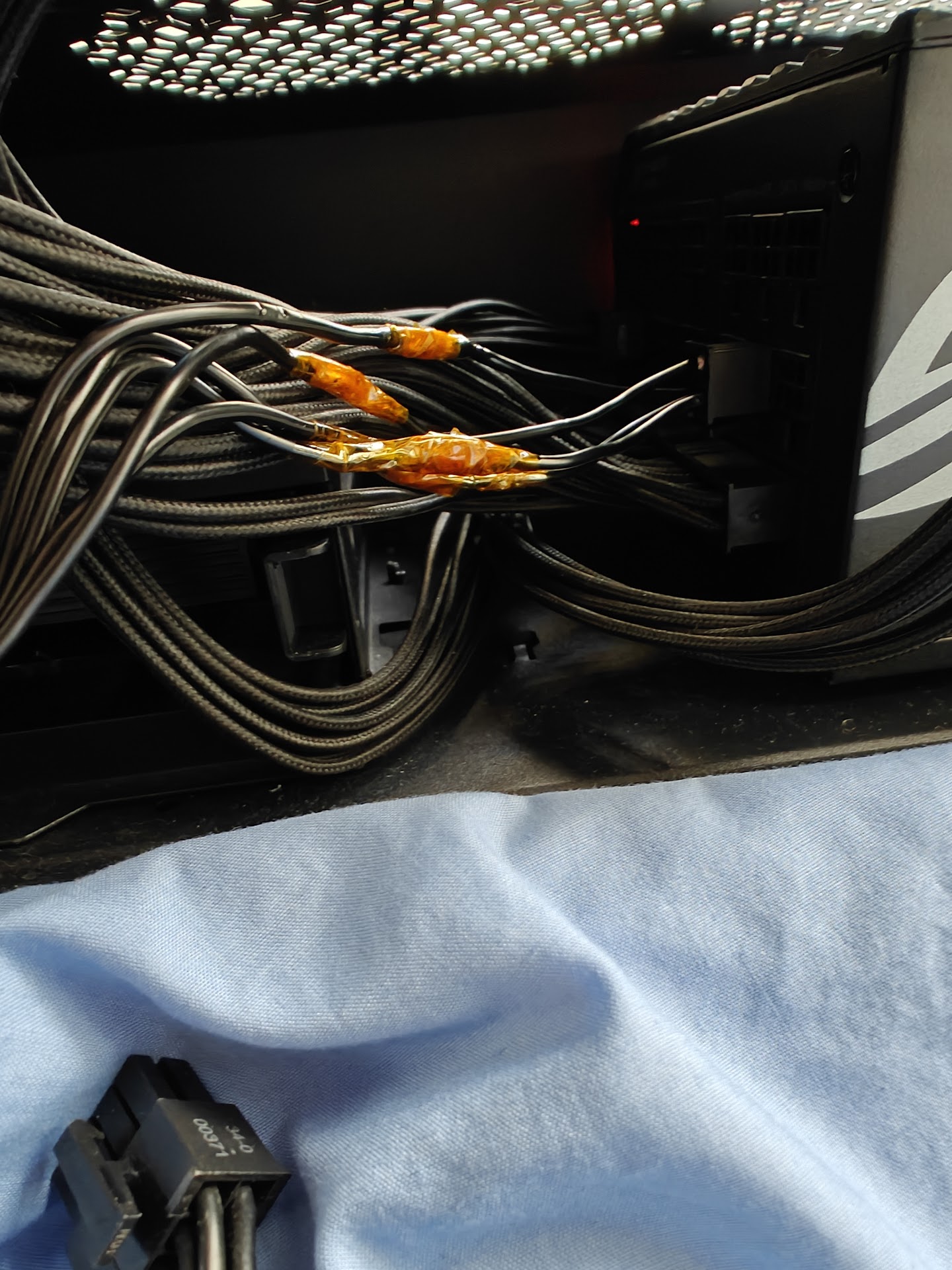
After a bit of diagnosing it turned out that the SATA cable that shipped with this PSU was actually for the wrong PSU, not sure why the pump wasn’t affected by this but regardless I rewired it thanks to this handy pinout diagram.
IT LIVES!
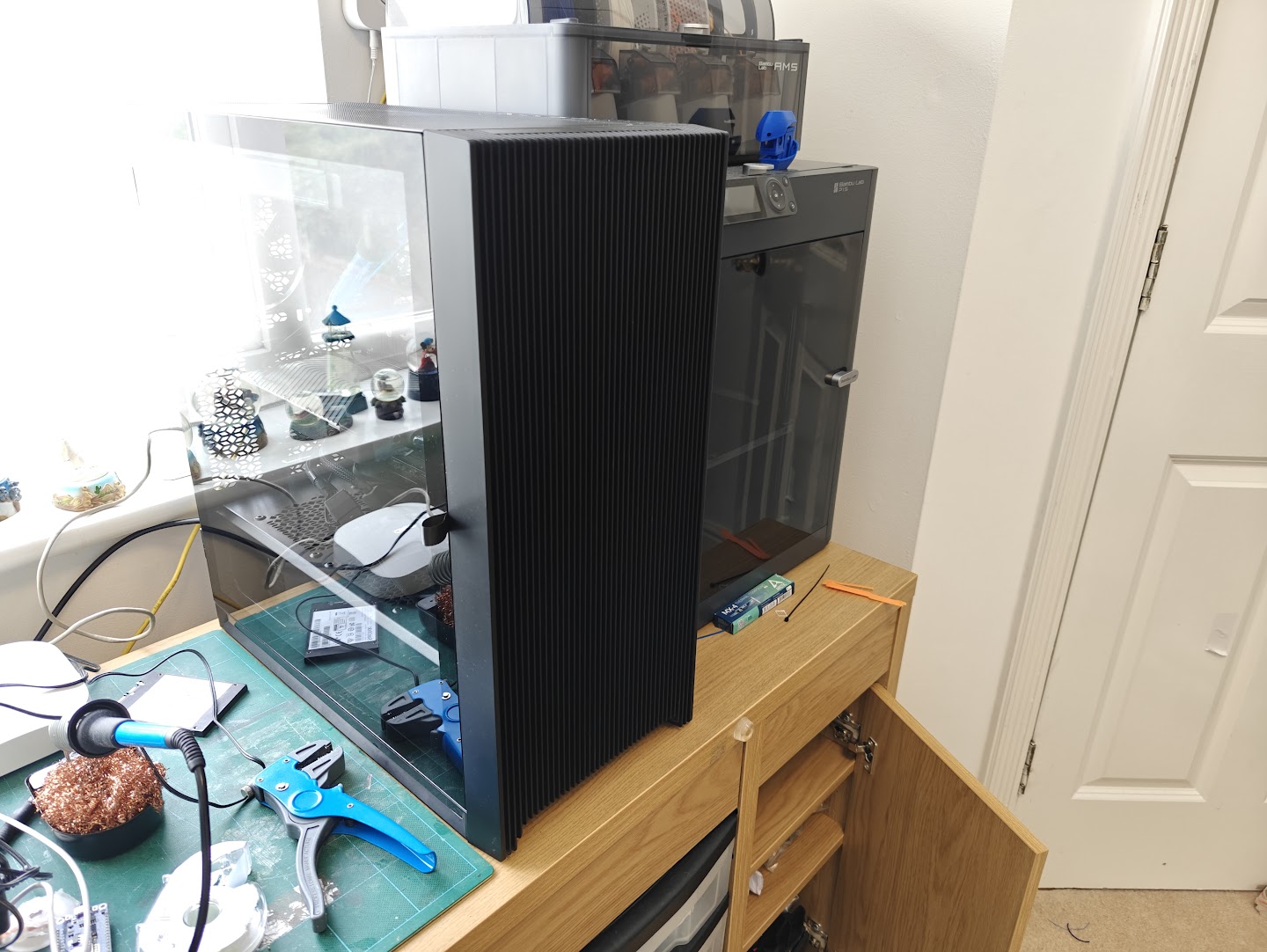
the server, standing proudly besides my 3D printer
And so, the server is alive, all’s right with the world.
Hard Drives
To attach hard drives to the server, I opted to re-use a Dell PowerEdge R710 backplane I had lying around, after ["figuring out" the pinout](https://www.reddit.com/r/homelab/comments/eod1ro/comment/jvdfzrp/?utm_source=share&utm_medium=web3x&utm_name=web3xcss&utm_term=1&utm_content=share_button) I was able to power the backplane and connect it to an IT-mode flashed PERC H200 card.I tested this, naturally, by attaching a blu-ray drive to it.
Ok but actually
The hard-drives I used in the end were all “refurbished”, except for two which were taken from the R720.
In total, 4 Seagate 4TB drives and 2 WD 2TB drives.
| Capacity (TB) | Cheapest Drive Cost (GBP) | Cost Per TB |
|---|---|---|
| 4 TB | £30.00 | £7.50 |
| 6 TB | £48.00 | £8.00 |
| 8 TB | £72.00 | £9.00 |
| 10 TB | £96.00 | £9.60 |
| 12 TB | £132.00 | £11.00 |
| 13.2 TB | £138.00 | £10.45 |
| 14 TB | £144.00 | £10.29 |
| 16 TB | £168.00 | £10.50 |
| 18 TB | £240.00 | £13.33 |
| 20 TB | £324.00 | £16.20 |
| 22 TB | £324.00 | £14.73 |
Fans
After running the server for a few hours, I noticed the drives would get quite hot (80+ degrees celcius), these were drives designed to be used in a rack-mounted and those usually draw air in from the front, through the drives. Odds were they wanted active cooling, so I devised a “solution”:
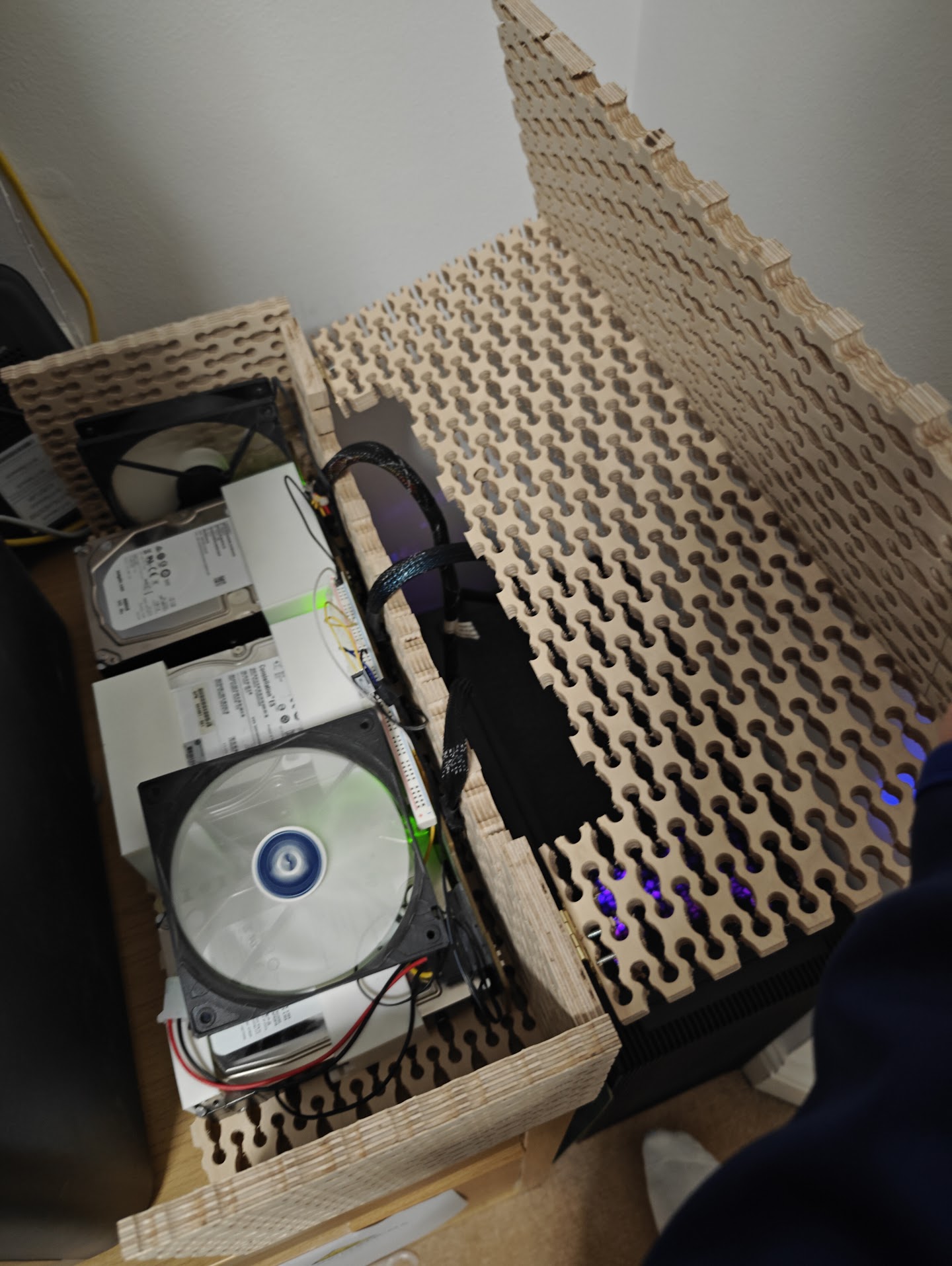
a wee bit redneck, but it works
Disaster - A note on picking the right tubes and coolant
At one point, I was fine-tuning a model when I noticed the GPU temperature was abnormally high (90 degrees celcius), I investigated and noticed that one of the tubes I was using had collapsed in on itself, likely from a combination of temperature and pressure from the angle it was at.
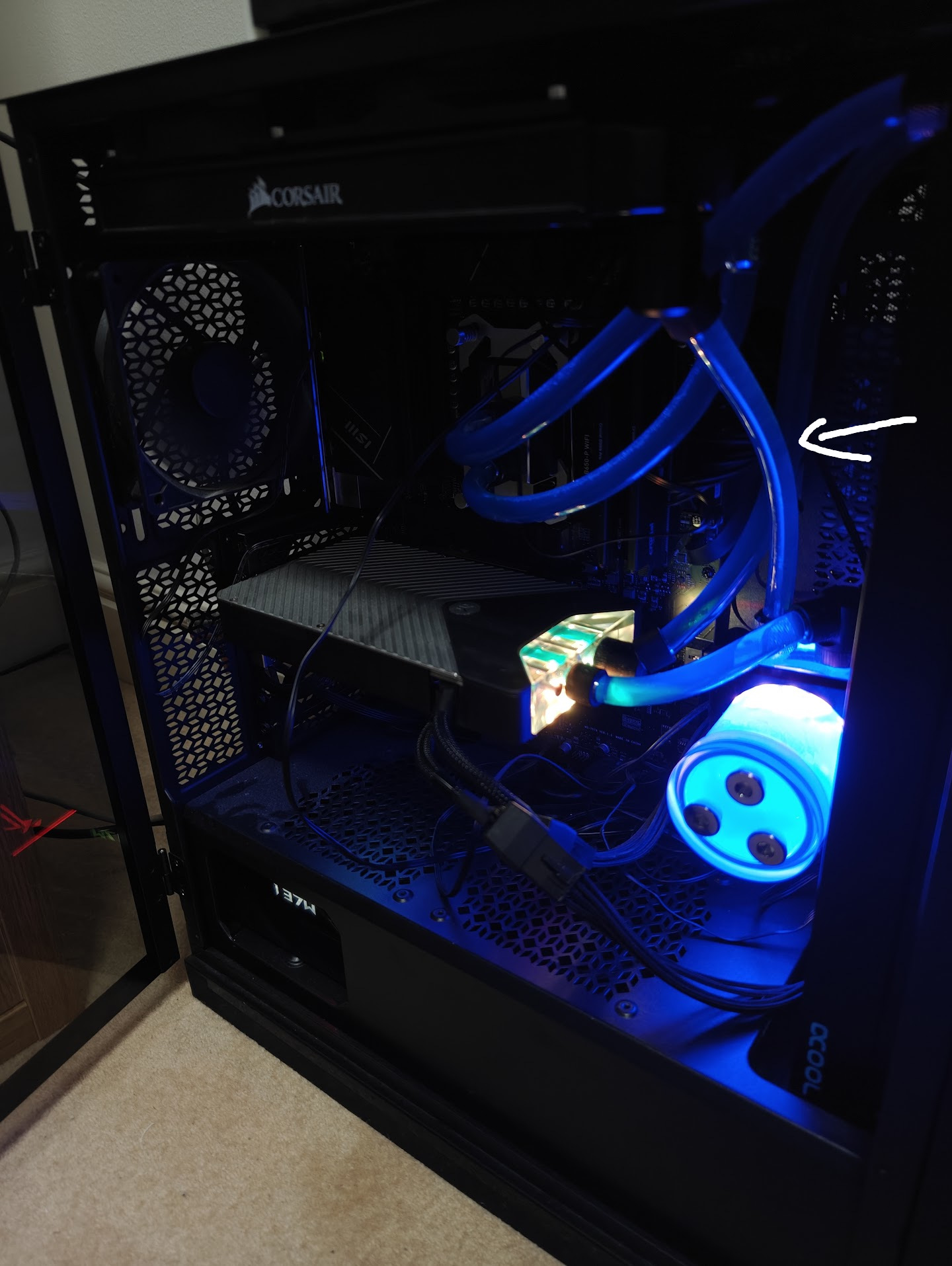
(the tube that collapsed, prior to collapsing)
I replaced the segment of tubing and kept going until I had the same issue a week later, so I opted to replace all the tubing with thicker tubing.
Unfortunately, the coolant didn’t seem to be flowing well…
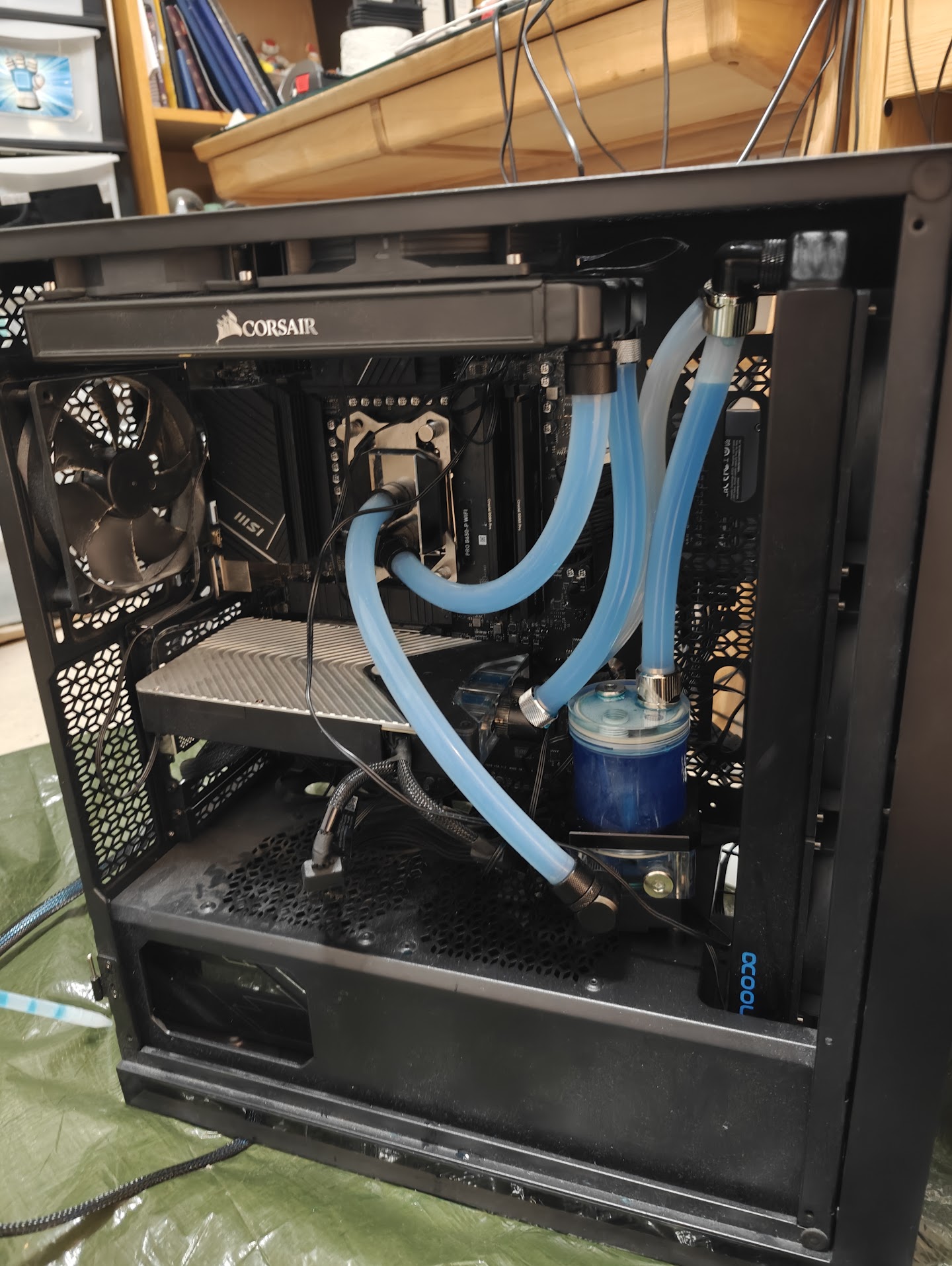
I ended up taking apart the water blocks for the CPU and GPU to clean up gunk accumulation.
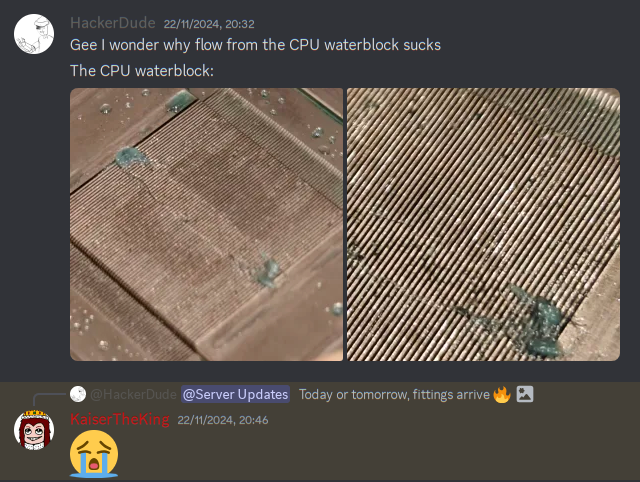
In addition to this, I repasted and replaced the pads on the the GPU and repasted the CPU. I also replaced the blue coolant I was using with distilled water.
THERE IS NO BENEFIT TO USING ANYTHING OTHER THAN DISTILLED WATER FOR WATER COOLING
The stuff added to coloured coolants is often detrimental, and distilled water is insanely cheap. Also colour coolant can clog water blocks from what I’ve heard [not fact checked].
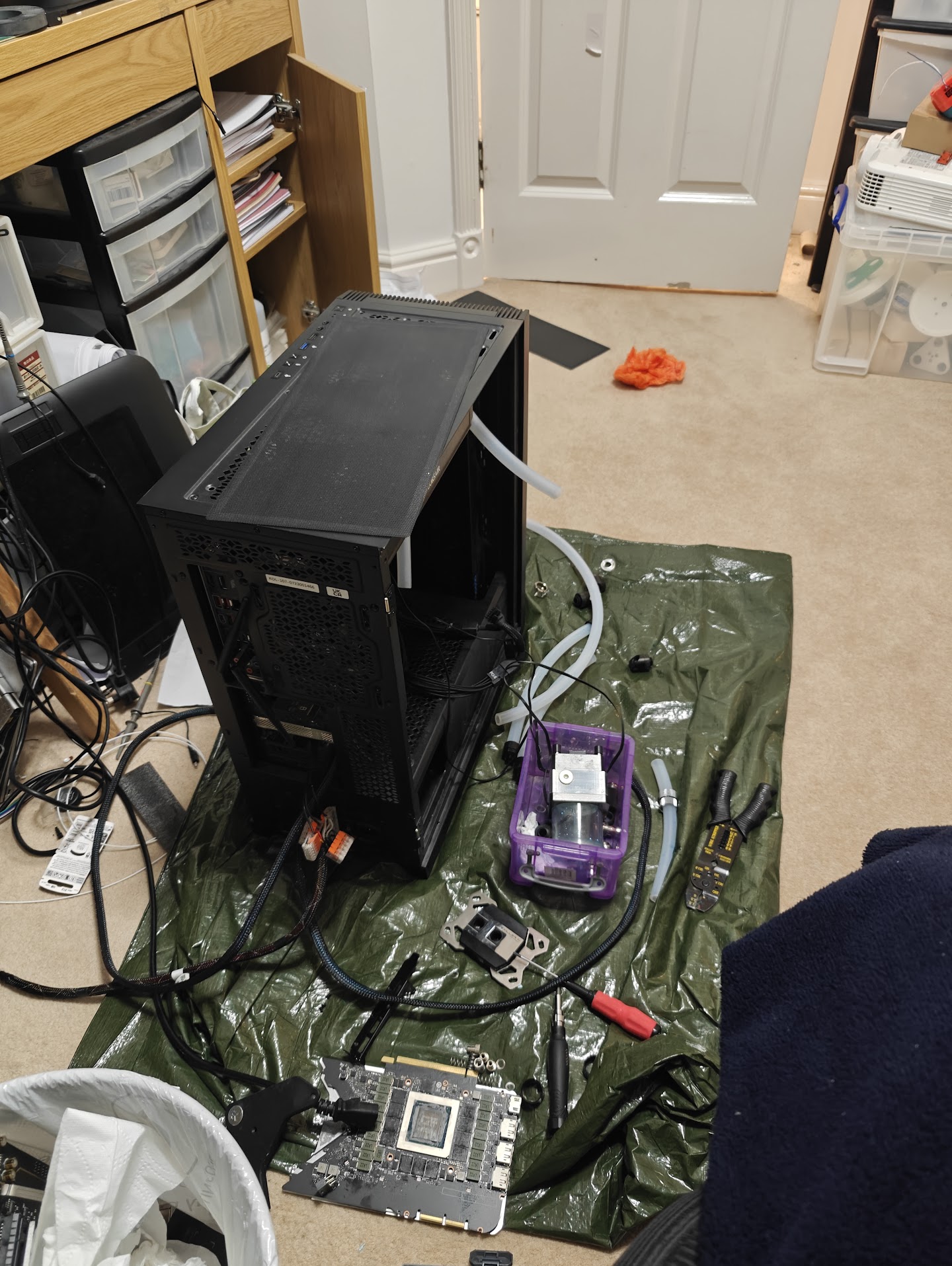
After the loop was cleaned, flushed, etc, the server was put back together and has been running just fine ever since.
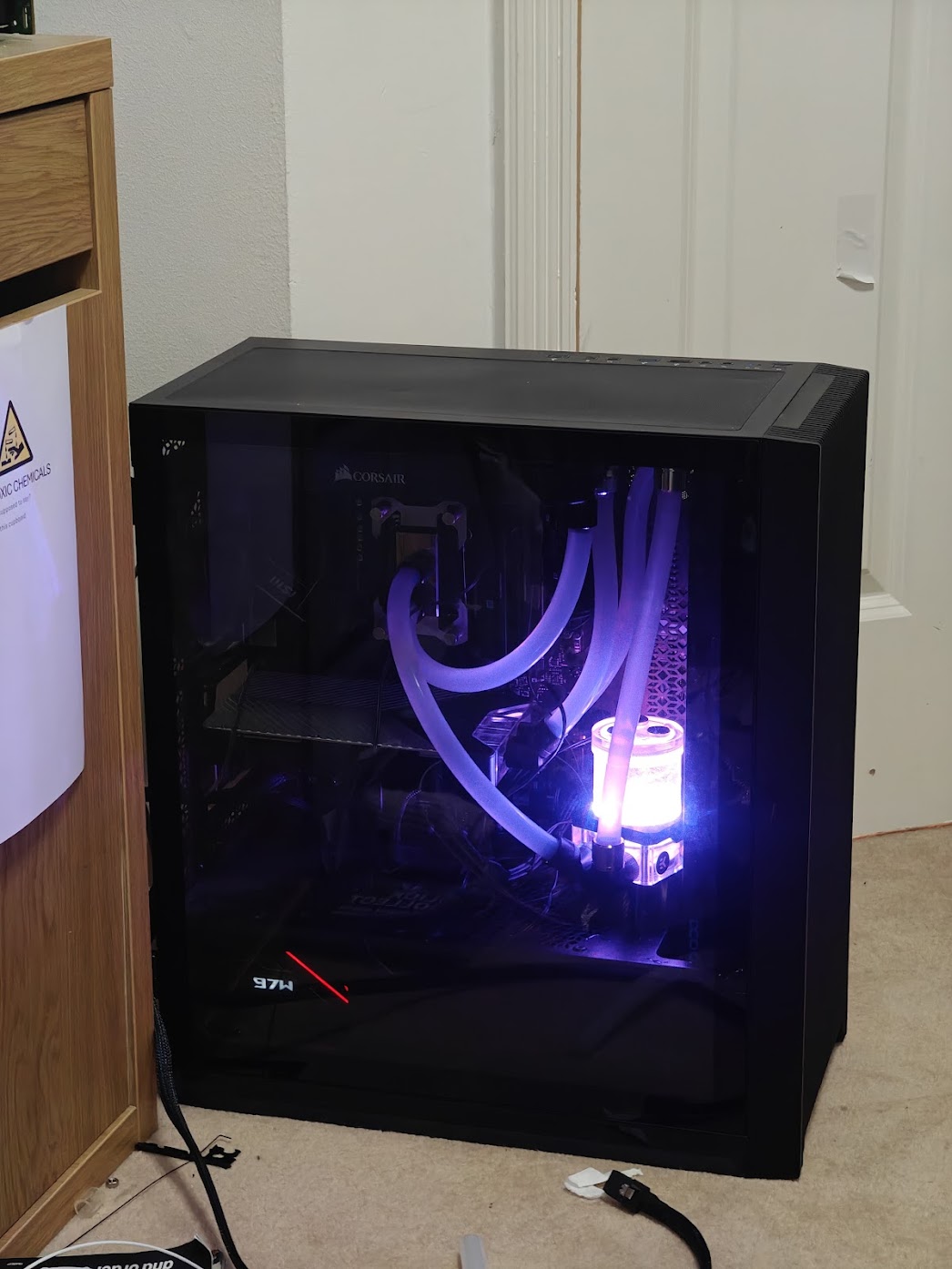
(Somehow I did manage to kill the RTX 3090’s RGB in this debacle, but the GPU itself seems to be fine.)
Software
Although rather unconventional, the server runs Arch btw. This was just a personal preference.
ZFS
The drives are managed via ZFS as such:
cortex@CORTEX-Server ~ sudo zpool list
[sudo] password for cortex:
NAME SIZE ALLOC FREE CKPOINT EXPANDSZ FRAG CAP DEDUP HEALTH ALTROOT
personal 928G 391G 537G - - 47% 42% 1.00x ONLINE -
reproducible 3.62T 3.50T 126G - - 57% 96% 1.00x ONLINE -
srv 14.5T 2.54T 12.0T - - 3% 17% 1.00x ONLINE -
cortex@CORTEX-Server ~
cortex@CORTEX-Server ~ sudo zfs list
[sudo] password for cortex:
NAME USED AVAIL REFER MOUNTPOINT
personal 391G 509G 112K /mnt/personal
personal/cm-hpc 390G 509G 390G /mnt/personal/cm-hpc
reproducible 3.50T 11.5G 3.50T /reproducible
srv 1.21T 5.71T 10.1M /srv
srv/cm-hpc 76.7G 5.71T 76.7G /srv/cm-hpc
srv/docker 285G 5.71T 209K /srv/docker
srv/docker/dokuwiki 138M 5.71T 138M /srv/docker/dokuwiki
srv/docker/forgejo 284G 5.71T 284G /srv/docker/forgejo
srv/docker/frigate 77.4M 5.71T 77.4M /srv/docker/frigate
srv/docker/homeassistant 140K 5.71T 140K /srv/docker/homeassistant
srv/docker/penpot 106M 5.71T 106M /srv/docker/penpot
srv/hpc 874G 5.71T 874G /srv/hpc
The 2 WD drives are essentially striped as the “reproducible” pool for a total of 4TB non-redundant storage for what is essentially a glorified downloads folder, hence the name “reproducible” (it can be redownloaded if really needed).
Wheras the 4 4TB drives are used as a RAIDZ2 array which provides redundancy if 2 disks fail, additionally, datasets are configured for each Docker container.
Drive Wear
The hard drives for the server were being unusually loud, making clicking noises occasionally. It turned out that this noise was the drives parking and unparking.
I disabled this behaviour using OpenSeaChest (specifically openSeaChest_PowerControl) for the Seagate drives as such:
cortex@CORTEX-Server ~/openSeaChest/Make/gcc/openseachest_exes ➦ bafb778 sudo ./openSeaChest_PowerControl -d /dev/sdd --changePower --disableMode --powerMode idle_b
...
cortex@CORTEX-Server ~/openSeaChest/Make/gcc/openseachest_exes ➦ bafb778 sudo ./openSeaChest_PowerControl -d /dev/sdd --changePower --disableMode --powerMode idle_c
===EPC Settings===
* = timer is enabled
C column = Changeable
S column = Saveable
All times are in 100 milliseconds
Name Current Timer Default Timer Saved Timer Recovery Time C S
Idle A *1200 *10 *1200 256 Y N
Idle B 2400 *6000 2400 512 Y N
Idle C 18000 18000 18000 7168 Y N
Standby Y 6000 18000 6000 25600 N N
Standby Z 9000 36000 9000 33792 N N
(I opted not to disable idle_a)
I also used WDIDLE to disable the WD equivalent for the reproducible pool drives.
LXC
The server runs many LXCs operating in a veth network type. In effect each LXC is directly connected to my LAN.
Some of the LXCs have the GPU passed-through to them with the following configuration entries:
GNU nano 8.5 - /var/lib/lxc/hpc/config

# Allow cgroup access
lxc.cgroup.devices.allow = c 195:* rwm
lxc.cgroup.devices.allow = c 240:* rwm
lxc.cgroup.devices.allow = c 243:* rwm

# Pass through device files
lxc.mount.entry = /dev/nvidia0 dev/nvidia0 none bind,optional,create=file
lxc.mount.entry = /dev/nvidiactl dev/nvidiactl none bind,optional,create=file
lxc.mount.entry = /dev/nvidia-uvm dev/nvidia-uvm none bind,optional,create=file
lxc.mount.entry = /dev/nvidia-modeset dev/nvidia-modeset none bind,optional,create=file
lxc.mount.entry = /dev/nvidia-uvm-tools dev/nvidia-uvm-tools none bind,optional,create=file
(I have totally forgotten how the cgroups work)
The two relevant LXCs that I wil focus on are cortex-hc and cortex-docker.
CORTEX-HC
cortex-hc is an Arch Linux container which I primarily use for running my workloads, it exposes a GUI environment over VNC.
I could go on a long rant about the absolute pain that was getting headless VNC to work whilst the NVIDIA drivers were installed…
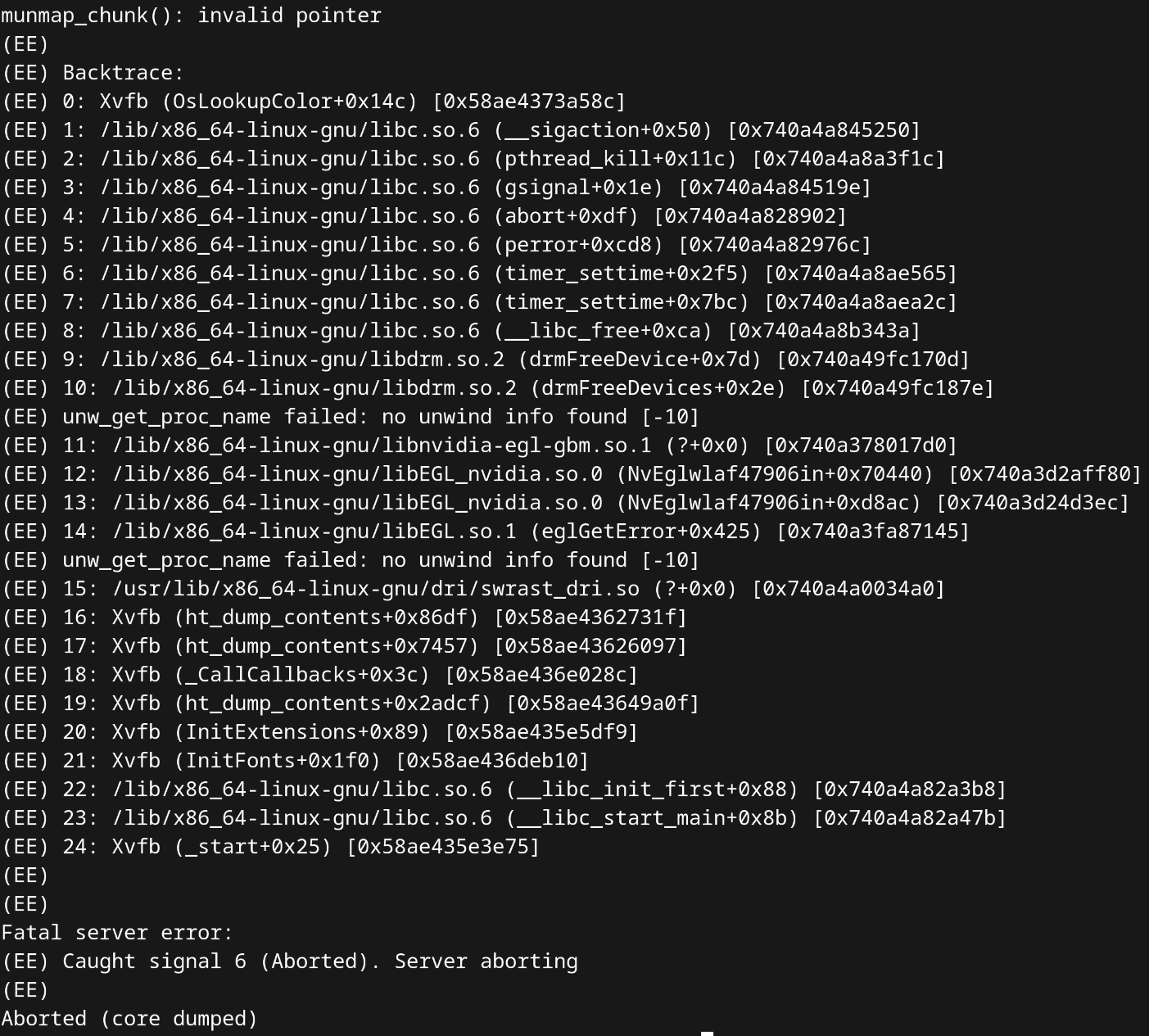
But in a nutshell, I found that running:
rm /lib/x86_64-linux-gnu/libnvidia-egl-gbm.so.1
rm /usr/lib/libnvidia-egl-gbm.so*
fixed the issue.
As for how the VNC server is started, I merely used a systemd service to run a script with the following:
export DISPLAY=:1
Xvfb $DISPLAY -screen 0 1920x1080x16 &
mate-session &
x11vnc -display $DISPLAY -bg -forever -quiet -listen localhost -rfbauth /home/stamisme/.vnc/passwd -shared
“If it ain’t broke…”
cortex-docker
.
|-- dokuwiki
|   |-- compose.yml
|   |-- logs
|   |-- nginx
|   `-- php
|-- forgejo
|   `-- compose.yml
|-- homeassistant
|   |-- compose.yml
|   `-- config
`-- jellyfin
    |-- cache
    |-- compose.yml
    `-- config
The cortex-docker container uses the Arch linux template (alongside every other container). As you can undoubtedly tell it’s just using Docker compose.
NGINX
The server’s many available sites are handled by a single NGINX reverse proxy running on the Arch host OS.
SSL is managed by certbot.
For example, the configuration file for git.hackerdude.tech is:
server {
    server_name git.hackerdude.tech;

    # HTTP configuration

    # HTTP to HTTPS
    if ($scheme != "https") {
        return 301 https://$host$request_uri;
    }

    # HTTPS configuration
    http2 on;

    location /robots.txt {
       add_header Content-Type text/plain;
       return 200 "User-agent: *\nDisallow: /\n";
    }

    location / {
        client_max_body_size 5G;
        proxy_pass  http://192.168.4.43:3000;
        proxy_redirect                      off;
        proxy_set_header  Host              $http_host;
        proxy_set_header  X-Real-IP         $http_CF_Connecting_IP;
        proxy_set_header  X-Forwarded-For   $proxy_add_x_forwarded_for;
        proxy_set_header  X-Forwarded-Proto $scheme;
        proxy_read_timeout                  900;

        # WebSocket support
        proxy_http_version 1.1;
        proxy_set_header Upgrade $http_upgrade;
        proxy_set_header Connection "upgrade";
    }


    listen 443 ssl; # managed by Certbot
    ssl_certificate /etc/letsencrypt/live/hackerdude.tech/fullchain.pem; # managed by Certbot
    ssl_certificate_key /etc/letsencrypt/live/hackerdude.tech/privkey.pem; # managed by Certbot
    include /etc/letsencrypt/options-ssl-nginx.conf; # managed by Certbot
    ssl_dhparam /etc/letsencrypt/ssl-dhparams.pem; # managed by Certbot
}

server {
    if ($host = git.hackerdude.tech) {
        return 301 https://$host$request_uri;
    } # managed by Certbot


    server_name git.hackerdude.tech;
    listen 80;
    return 404; # managed by Certbot
}
Fin!
To be fair this post mainly exists as notes for me to reference back to every now and then
Todo
- [DONE] Explore streaming solutions such as Sunshine instead of VNC for latency
- [DONE] Figure out why UE5 Lightmass is broken in LXCs
UE5 lightmass issues were fixed by removing an assertion from Engine/Source/Runtime/Core/Private/HAL/ThreadingBase.cpp
if it works…
@ -85,7 +85,7 @@ FTaskTagScope::FTaskTagScope(bool InTagOnlyIfNone, ETaskTag InTag) : Tag(InTag),

if (ActiveTaskTag == ETaskTag::EStaticInit)
{
-    checkf(Tag == ETaskTag::EGameThread, TEXT("The Gamethread can only be tagged on the inital thread of the application"));
+    //checkf(Tag == ETaskTag::EGameThread, TEXT("The Gamethread can only be tagged on the inital thread of the application"));
#if !IS_RUNNING_GAMETHREAD_ON_EXTERNAL_THREAD
#	if PLATFORM_WINDOWS && DO_CHECK
    // When RenderDoc injects its DLL it first creates this process in a suspended